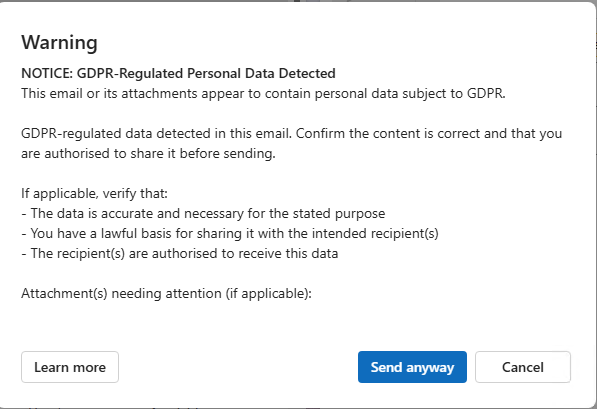
Every time I sit down with a new client and say “Microsoft Purview,” I get the same look — part confusion, part dread. And honestly it makes sense, but often i think this is very misunderstood. I think the reason for this, is Microsoft has turned it into a very scary product, without it really needing to be, and the cause is Sensitive Information types false positives – When you open Purview.Microsoft.com this is what you see
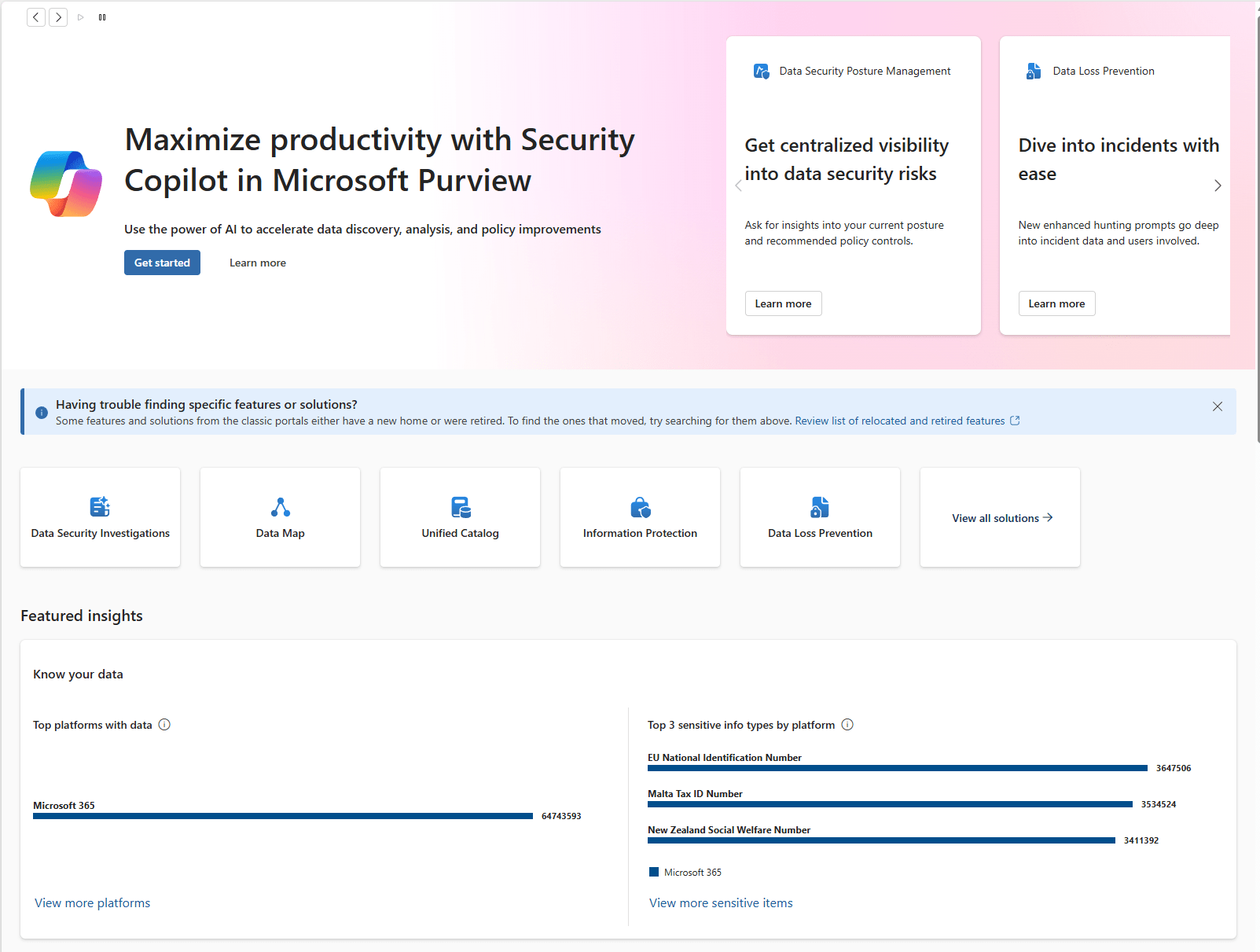
Honestly, how are you supposed to deal with this?? But i am here to shed some light onto what copilot actually is, and how some of the features work. Before we do a more thourough deep dive into the stuff.
In this post
- The brand confusion — two Purviews, one name
- Licensing reality — E3 vs E5 vs the add-on that actually matters
- Why sensitivity labels are the foundation of everything
- The Copilot angle — why Purview is now a prerequisite
- Denmark and GDPR — CPR-numbers, Article 25, and what Datatilsynet expects
- Where to start Monday morning — your week-by-week plan
- FAQ
- Further reading
What is Microsoft Purview — and why are there two of them?
Microsoft took two completely different product lines, slapped the same name on both, and called it a day. If you’re confused, good — that means you’re paying attention. Let me untangle it.
Purview Compliance (at purview.microsoft.com) is the security and compliance toolbox built into your Microsoft 365 licence. This is where you find sensitivity labels, DLP policies, audit logs, eDiscovery, insider risk management, and records management. If you have M365 E3 or Business Premium, you already have access to a decent chunk of this. You’re just not using it yet.
Purview Data Governance (the Azure-based side — Unified Catalog, Data Map) is an enterprise data engineering tool. It scans and catalogues data across SQL servers, data lakes, Fabric workspaces, and multi-cloud environments. It requires an Azure subscription and is built for organisations with dedicated data teams.
Honest opinion, when starting out just focus of the compliance part, so this is what i will do.
For the rest of this post, when I say “Purview,” I mean the compliance side at purview.microsoft.com. If you ever need the governance half, you’ll know — your data engineering team will be the ones asking for it.
| Purview Compliance | Purview Data Governance | |
|---|---|---|
| Where | purview.microsoft.com | Azure portal |
| What | Sensitivity labels, DLP, Audit, eDiscovery, Insider Risk | Unified Catalog, Data Map, data lineage |
| Who needs it | Any org with M365 — you already have access | Enterprise data engineering teams |
| Cost | Included in E3/Business Premium | Separate Azure billing |
| SMB relevance | ✅ High — core compliance toolbox | ❌ Usually none |
What do you actually get with E3 vs E5 vs the E5 Compliance add-on?
Licensing is where most conversations go sideways, so let me be specific.
| Feature | E3 / Business Premium | E5 Compliance add-on | Full E5 |
|---|---|---|---|
| Sensitivity labels (manual) | ✅ | ✅ | ✅ |
| Auto-labelling (service-side) | ❌ | ✅ | ✅ |
| DLP (Exchange, SharePoint, OneDrive) | ✅ | ✅ | ✅ |
| DLP for Teams chat | ❌ | ✅ | ✅ |
| Endpoint DLP (print, USB, clipboard) | ❌ | ✅ | ✅ |
| DLP for Microsoft 365 Copilot | ❌ | ✅ | ✅ |
| Audit Standard (180 days) | ✅ | ✅ | ✅ |
| Audit Premium (1 yr, MailItemsAccessed) | ❌ | ✅ | ✅ |
| Insider Risk Management | ❌ | ✅ | ✅ |
| Defender for Endpoint / Identity | ❌ | ❌ | ✅ |
That’s a solid security baseline on E3. In my experience, most SMBs are running with all of this turned off or misconfigured. Step one isn’t buying more licences — it’s using what you’ve got.
My recommendation: start with E3/Business Premium features. Create your custom SIT’s, get labels deployed, core DLP running, audit logs verified. This will be a great start, and will also take some time to get implemented. Once this is done, consider moving up to the E5 features, which has some great additions.
Why are sensitivity labels the foundation of Microsoft Purview?
One piece of advice, if nothing else sticks: labels are the foundation of everything. DLP, Copilot protection, IRM encryption, eDiscovery tagging, insider risk signals — they all reference sensitivity label metadata. Skip labels and jump straight to DLP, and you’re building on sand.
A DLP policy that relies only on sensitive information types (SITs) — pattern-matching for credit card numbers, ID numbers — generates noise. False positives everywhere. A DLP policy that says “block external sharing of anything labelled Confidential” is clean, semantic, and low false-positive. The label carries meaning. The DLP policy enforces it. That’s the difference.
My recommended starter.
Keep it simple. Three, maybe even only 2 labels as a start.
The 2 main ones –
- Internal — Default label – Everything is marked as internal as default, and if people want to share with the outside world they have to change it.
- Public — safe to share externally
The extra –
- Confidential — internal only, restricted sharing
You can add the confidential if you really need it. But again, we can always add this one later, once people have actually adopted the labels, and we have a working structure in our organization. A lot of what people want to use confidential for, will be fixed by using an Internal label as default.
Do you need Microsoft Purview before deploying Copilot?
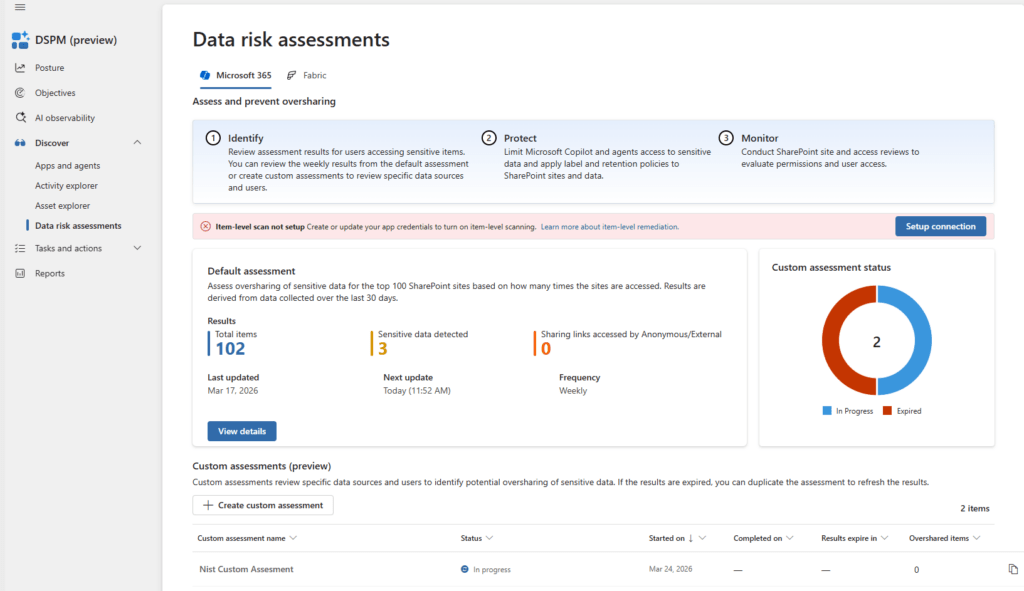
Yes. I would recommend reading my blog post on the new DSPM page in copilot.
Stop oversharing before you deploy Copilot: a Purview DSPM quickstart – NiST-Solutions
How does Microsoft Purview help with GDPR compliance?
Danish organisations have specific GDPR obligations, and Purview hits most of the technical requirements directly.
Sensitive information types: Microsoft builds a lot of purview, based on what is called Sensitive information types (SIT’s). And as i showcased in the beginning, there is ALOT of false positives, in the built in ones. Let me give you an example of why this could be –
There is a Microsoft built in SIT called “Denmark Personal Identification Number“. This SIT is built up by 2 patterns – A low confidence and a high confidence.
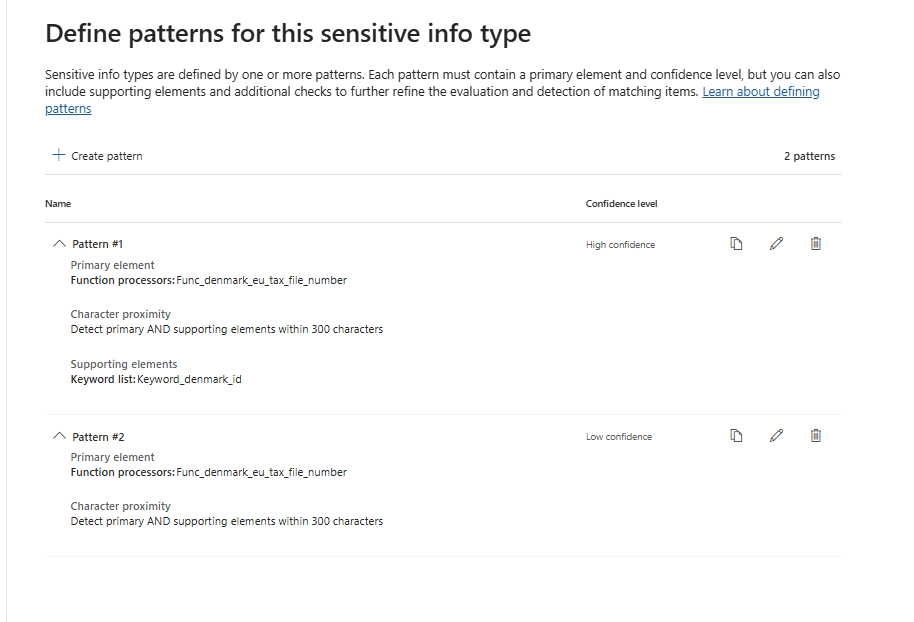
Low Confidence :
Only uses a primary element which is a function called “Function processors:Func_denmark_eu_tax_file_number“
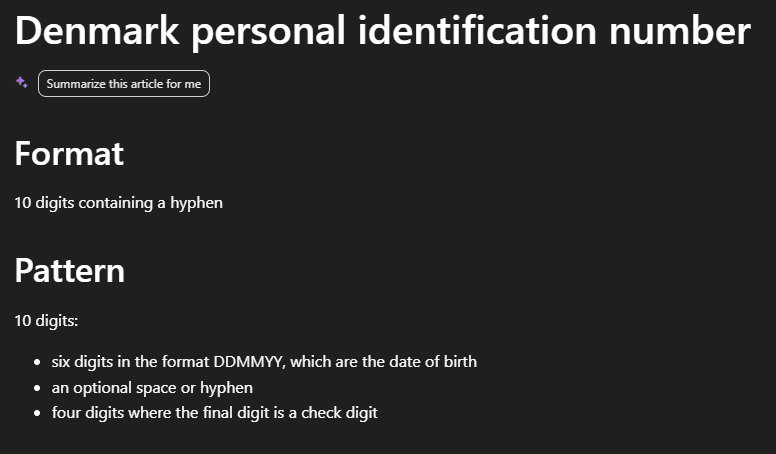
So why is this a problem? Because there is a lot of 10 number strings in documents. Which means, if we only check on this, even with the specific format of a Danish CPR number, we will get a huge amount of false positives.
High Confidence –
Here we do get an improvement. Because it uses the same function as the primary element, but it also uses a supporting element – A keyword list. And they need to be within 300 characters of one another. This is good. BUT, let’s take a look at the keyword list Microsoft is using. This is the exact keyword list – Alot of you will not understand this, so let me just say. There is a lot of good stuff in here like cpr# and personnummer#, but there is also ALOT of words in here that will never be relevant.
centrale personregister
civilt registreringssystem
cpr
cpr#
gesundheitskarte nummer
gesundheitsversicherungkarte nummer
health card
health insurance card number
health insurance number
identification number
identifikationsnummer
identifikationsnummer#
identity number
krankenkassennummer
nationalid#
nationalnumber#
national number
personalidnumber#
personalidentityno#
personal id number
personnummer
personnummer#
reisekrankenversicherungskartenummer
rejsesygesikringskort
ssn
ssn#
skat id
skat kode
skat nummer
skattenummer
social security number
sundhedsforsikringskort
sundhedsforsikringsnummer
sundhedskort
sundhedskortnummer
sygesikring
sygesikringkortnummer
tax code
travel health insurance card
uniqueidentityno#
tax number
tax registration number
tax id
tax identification number
taxid#
taxnumber#
tax no
taxno#
taxnumber
tax identification no
tin#
taxidno#
taxidnumber#
tax no#
tin id
tin no
cpr.nr
cprnr
cprnummer
personnr
personregister
sygesikringsbevis
sygesikringsbevisnr
sygesikringsbevisnummer
sygesikringskort
sygesikringskortnr
sygesikringskortnummer
sygesikringsnr
sygesikringsnummer
So what then?
You will not gain much from using some of the built in sensitive information types Microsoft has. So what you need to do is build your own. I can not tell you exactly how to do this, because this requires some “inside” knowledge of countries, that i do not have. I can give you a general idea –
Primary element : You can use the function that Microsoft has made available to you, this will give you are good start
Supporting Element : Create your own keyword list, for the sensitive information type. You will know best what words your country uses for GDPR data. In Denmark i usually go for “Personnr” and “CPR”, this usually catches most of everything.
Character Proximity : This will wary, but i think 300 characters are a lot, at least in Denmark things are usually right after one another so 20 is reasonable.
Where to start — your deployment plan
Here’s what I actually do when starting a Purview deployment from scratch. No theoretical roadmap — this is the exact plan.
Step 1 :
Build you own Sensitive information types – Keep going through the results for a while, and make edits to reduce false positives and if you missed some keywords.
Step 2 :
Setup a label structure – Start with 2 or 3 labels, then slowly build out. This is not a marathon, your data has been insecure for 25 years, and people have never been labeling data before. Forcing complexity on your users, will only backfire.
Step 3 :
Set up DLP policies – You can use your custom SIT’s to apply labels, set up policy tips so that users are aware they are sending sensitive information types.